
Link management
Edit short URL
Currently, the edit feature is limited to editing only few fields associated with a short url. We may bring more editing abilities in the future!
'Short URL' and 'short link' are the same!
We will be using the terms short URL and short link or simply link throughout the documentation. All of these represent the same.
How can I edit a short URL?
You cannot update the actual short URL
You can edit most of the fields associated with a short URL like Title, Target URL, Notes, Tags, Expiry and advanced options like Safe mode and Disable link analytics. You can only update Private link option, if the link is a normal link. You will not be able to update the actual short URL.
Any user with a user role other than Read-only can edit a short URL.
⚡ Edit short URL from 'links' page
- Open the desired link to be edited, from the links page. Click on the
editbutton (as shown below) to open the details panel.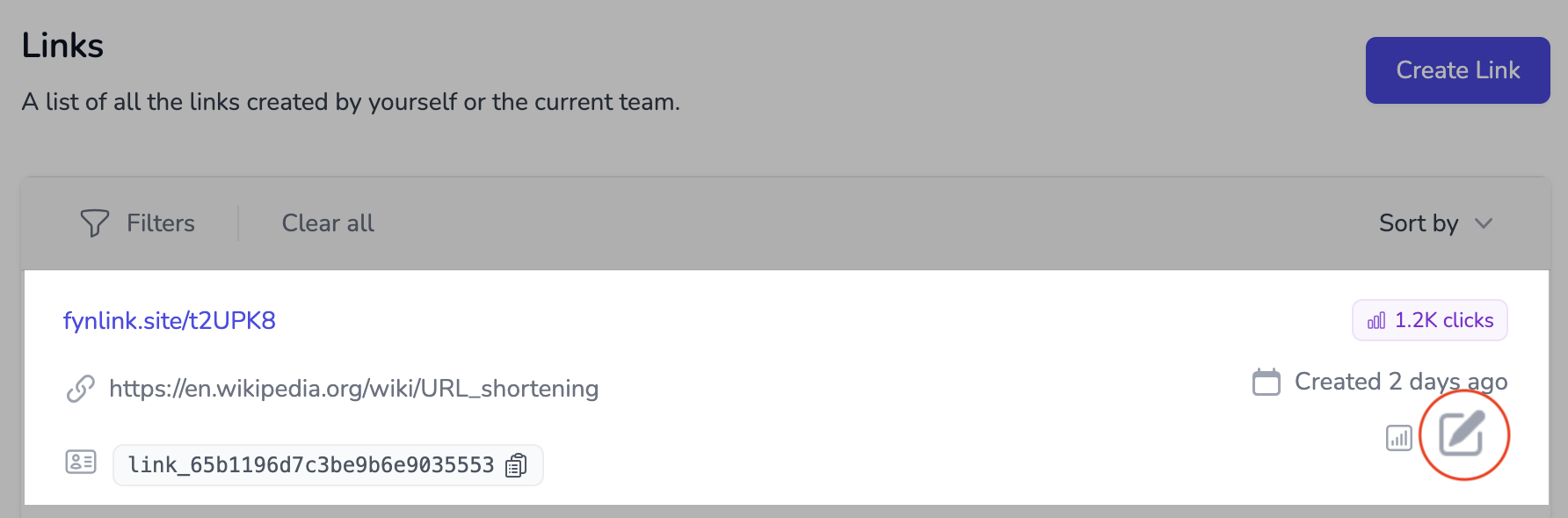
- Update the fields, as per your requirement. You can only update
TitleandAdavnced Optionscurrently. If there is an update, theUpdatebutton will be visible and click on it to save changes.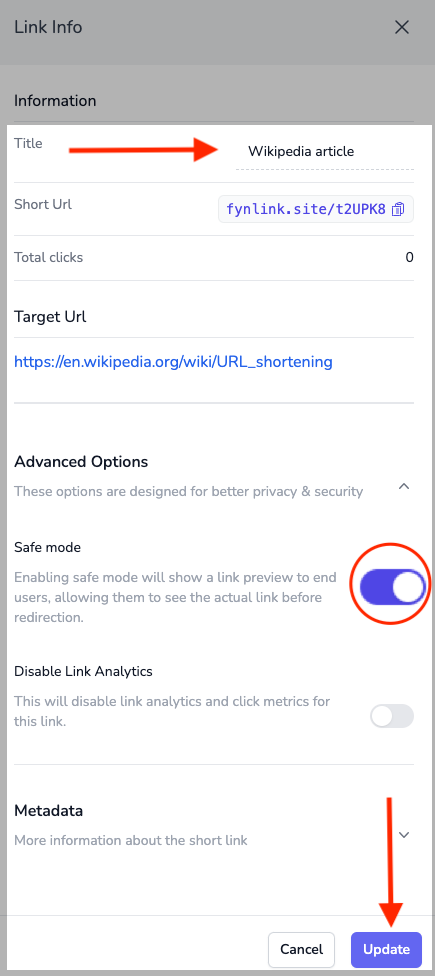
What are advanced options?
What actually is advanced option?
There are various advanced options available for editing. You can learn more about the advanced options here. If you are not sure about it, it is safe to leave as it is (the default options).
Can I change a normal link to a private link?
Yes, you can change a normal link to a Private link.
Can I change a private link to a normal link?
No, you cannot change a private link to a normal link. This is because of the way private links are stored.