Account management
Update email
All users can update their email. A functioning email is mandatory for creating an account ion Fynlink.
Email change requires verification!
Changing email requires you to verify the same, an email will be sent to your new email address. Click on the link in the email to verify.
How can I update the email?
You can update email from the user profile page.
⚡ From the profile page
- Click in the top right corner of the header menu, where the user avatar is displayed, and click on the
Profilelink.
- You will be redirected to the user profile page. In the
Profile Informationblock, enter the updated email in theEmailinput box and clickSave.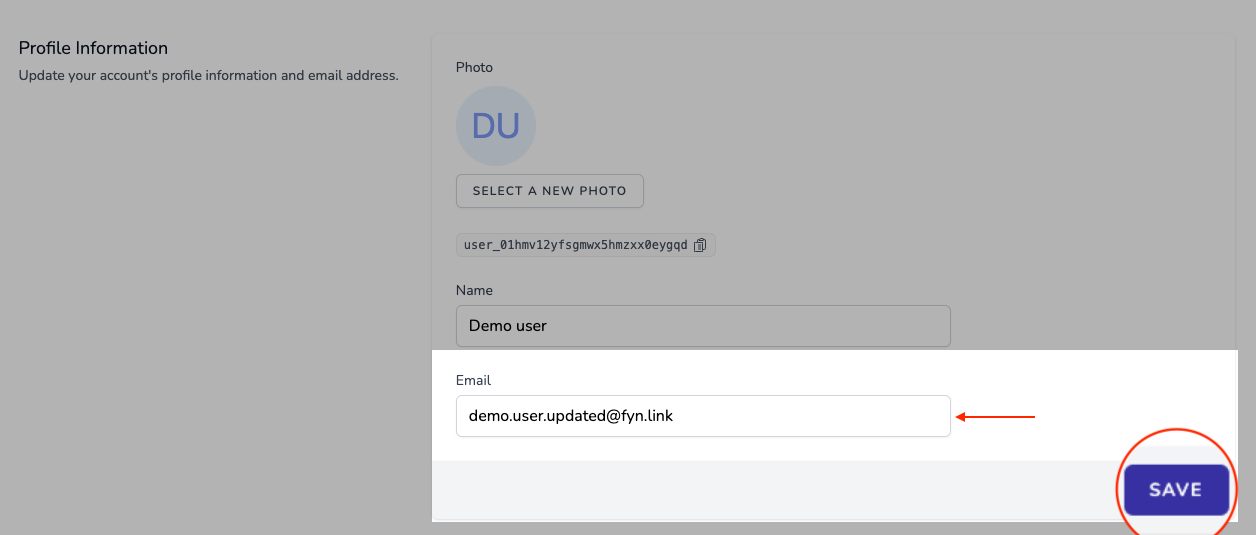
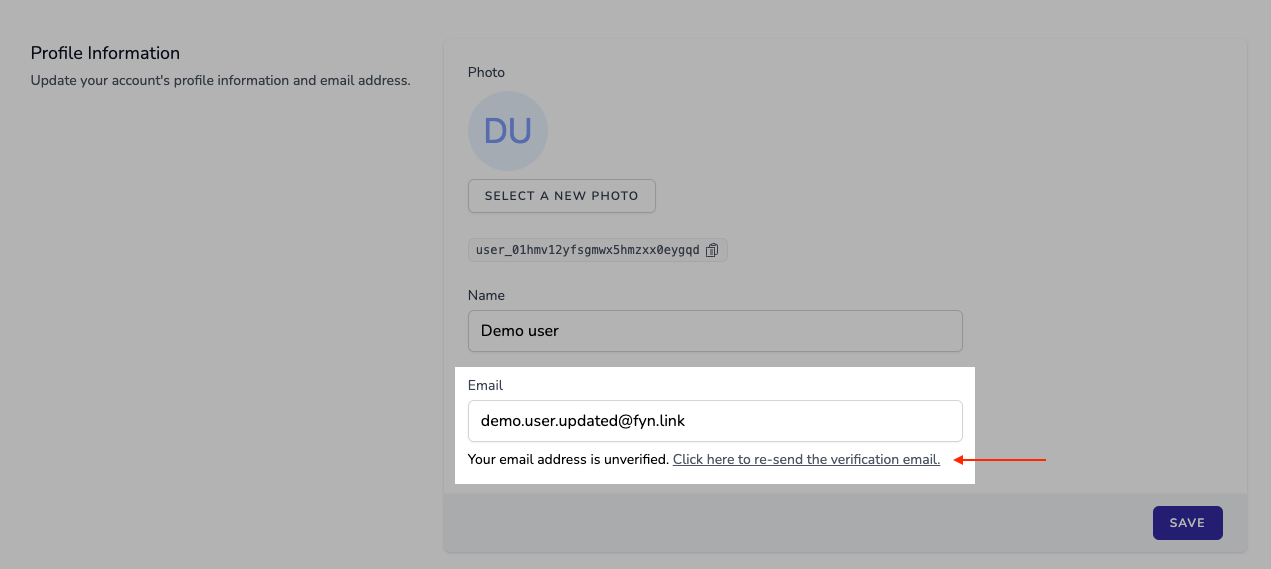
- You will need to verify the new email address. You can always resend the verification email by clicking on the
Click here ro re-send the verification emailfound under theEmailfield.